Tips You Can Do To Get the Most from Your New Website
Congratulations! You’ve launched your new website. Even with a brand new website, there are some things you can do to improve performance and get more from the new website.
I’d recommend giving it a few days after go-live before going through this checklist. All the brewhaha with your site launch means everything from DNS to browser caches might need a minute.
Celebrate the launch, but here’s what to check after a couple days.
1. Traffic is flowing on Google Analytics
Google Analytics is a leading tool for monitoring your website’s traffic. Ensuring your website is receiving visitors is crucial for measuring performance.
Simply logging in to GA4 will tell you. Check the real-time reports from the Reports tab. Visitors from the last 30 minutes will appear here. If you happen to be at a time when no one is on your site, we recommend checking the 7-day activity at Reports > Acquisition > Traffic Acquisition.

2. Confirm your sitemap is submitted with Google Search Console
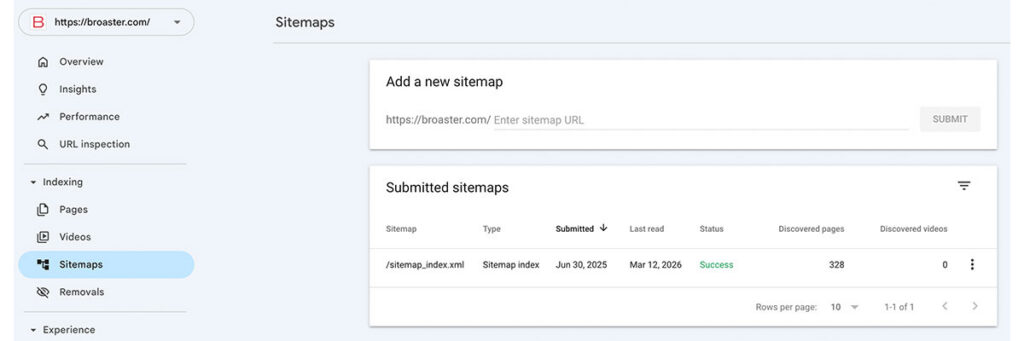
Google Search Console is the secret sauce to understanding how your site appears in organic Google searches. Submitting your new website’s sitemap.xml file ensures your site is indexed as quickly as possible.
To confirm your website’s sitemap is indexed, check the Sitemap tab in your Search Console account.
3. Run a site performance test with Google Lighthouse
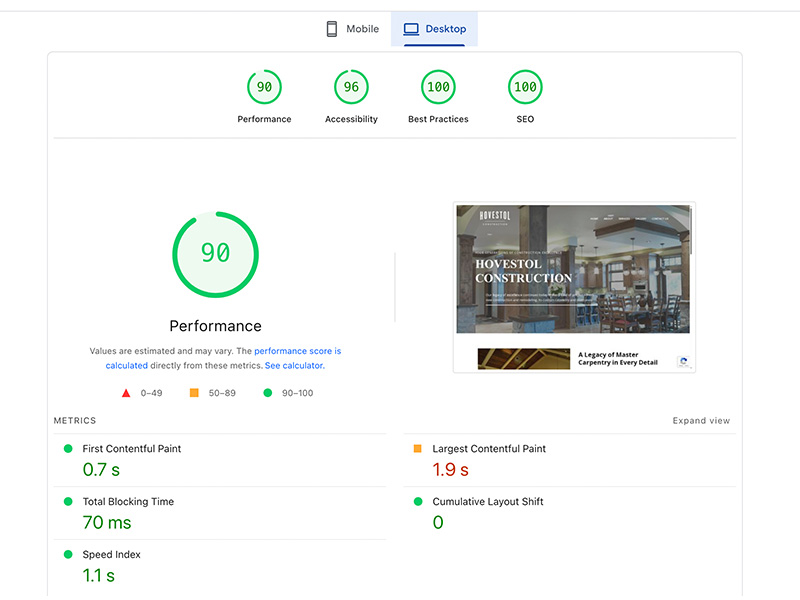
Google Lighthouse provides a deep dive into your website’s performance including page load speed and optimizations of site coding. The free report will grade your site on a 1-100 scale for performance (speed), accessibility, best practices, and SEO.
Should you get all 100’s? Almost certainly not, but if you get four “green” scores—you’re doing great.
4. Free SEO performance checkup with Ubersuggest
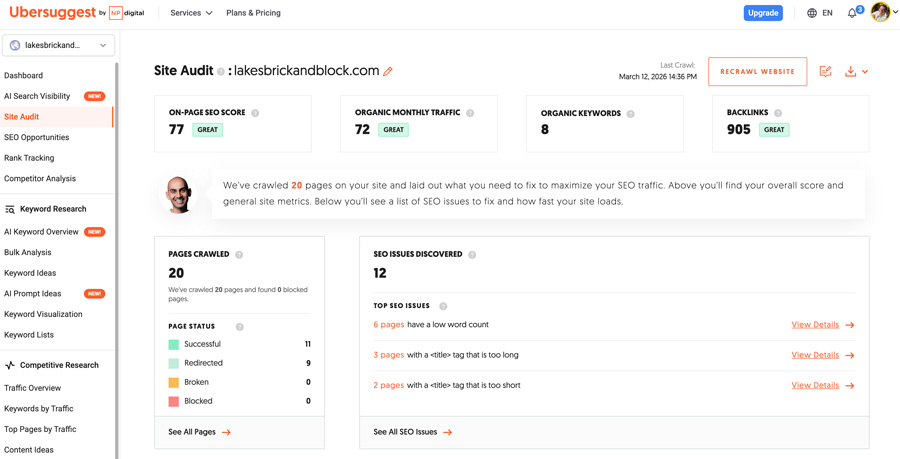
Ubersuggest is an excellent free tool (with some great paid SEO tools, too) that evaluates a combination of your technical site performance and SEO performance all in one.
While the report may overlap with the other Google reports, being a third-party platform will give you an objective assessment.
5. Update Google Business Profile
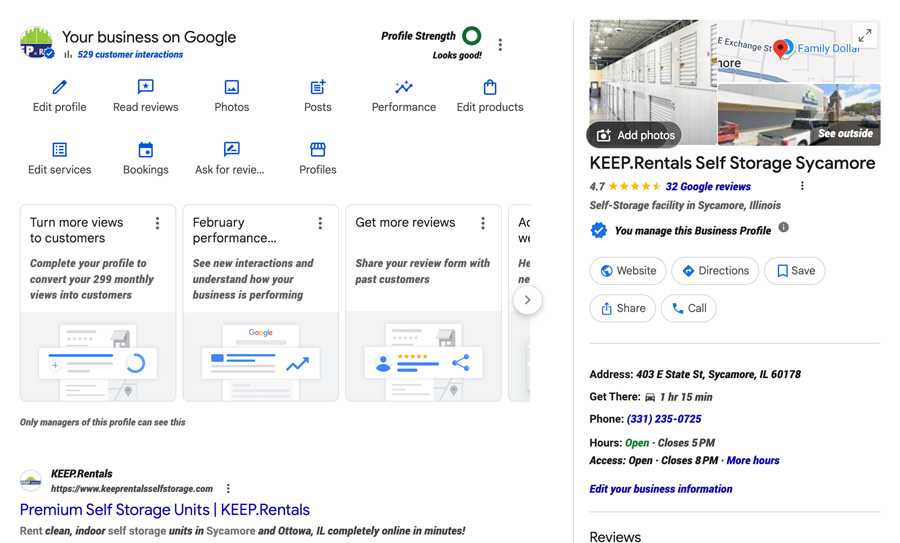
Your Google Business Profile (GBP) is one of the most overlooked and easily forgotten tools. GBP controls your Google Maps listing and has a strong influence on your organic search performance. Most importantly, this is how you manage your Google Reviews.
If you’ve already claimed and set up your GBP, make sure the content and information are all up to date. Add pictures of the outside of your location, your products or services, and your team. Check out the Q&A section and post feature for an added boost to your SEO.
Most importantly, go get reviews!
6. Check your domain name renewal date and auto-payment
Failing to renew a domain name frequently causes devastating damage to a company. It doesn’t have to happen to you.
To prevent it from happening to you:
- Login to your registrar to confirm username and password
- Make sure the email address is correct
- Confirm the renewal date
- Create a calendar reminder a month before it expires
- Set up billing auto-renewal to keep your domain safe
- Confirm your credit card expiration date is AFTER the renewal date
- Securely document everything in case of emergency
Don’t wait on this one. Once you’ve lost your domain name, it is horrifyingly difficult to get it back.
7. Set a maintenance strategy and calendar
If you don’t have an internal teammate assigned to maintaining your website, contracting with a web developer to manage it is a smart use of budget. Plug-ins and updates are critical for a number of reasons:
- CMS and website tools continue operating smoothly
- Implemented security patches prevent intrusions
- Scheduled backups get confirmed
- Technical SEO is being reviewed
Don’t let your brand new website break down because of routine maintenance!
8. Review 404 errors and add redirects
404 errors can frustrate site visitors who are trying to find a page that no longer exists. It happens frequently after launching a new website. But those errors are also impacting your search performance.
There are a number of plug-ins that will log the number of 404 errors and their intended destinations.
The solution is simple: redirect them. A redirect is a simple set of website instructions that moves traffic from a missing URL to a new website. Creating redirects is a simple task that can be done by your web developer or website maintenance provider.
9. Test your lead forms 2+ weeks from launch
When the website is new, the email forms are flying to their appropriate inboxes. Over time, those emails can start getting sent to spam or quarantine folders. Even legitimate form completions can get missed.
Wait several weeks after the site has been launched. Test your lead gen forms to make sure they’re directing messages correctly. If they are going to spam or simply disappearing, there are basic fixes you can implement.
10. Plan to add content, especially FAQs for SEO and AEO
Search engines and AI platforms love fresh content. Blog posts, case studies, and articles posted on a regular basis gives your website a critical boost.
Do you remember abandoning your office during the COVID lockdowns? Social media was full of pictures of people returning months later to their desks and the banana they left behind.
That’s kinda what search engines think about your website.
When search engines scan your site and find nothing new, they’ll quit coming back. Your rankings fall. No one likes a rotten banana.
Make a plan to add new content and images on a regular basis. Especially frequently asked questions (FAQs). You’ll keep both search engine and AI platforms hungry for more.
What if I Need Help Checking These Boxes?
You might have gotten through the checklist and said, “I need help.”
Signalfire understands the challenges of small businesses and support needed to make marketing a success. If you need an extra set of hands to check these boxes and maybe other marketing activities—set up a free consultation.